CloudeBackup فارسی
Featured product

CloudeBackup

Automatic, reliable, hassle-free backup for Windows

CloudeBackup automatically backs up your important folders to an external drive, USB stick, another drive or a network share. If the disk is not connected it waits, and runs as soon as it is attached. If a run is interrupted, no file is left corrupted.

The download link is emailed to you after payment.

← Back to products
Main page: a backup running with live progress, one waiting for the USB stick, and the next run times

About CloudeBackup

CloudeBackup is a backup service for Windows 10 and 11 that runs quietly in the background. The free edition includes every feature with no time limit and is capped at a single backup job; the professional licence removes that cap.

  • No internet connection needed and nothing is sent anywhere
  • A permanent licence that covers all future versions
  • Not tied to your hardware; it moves with you to a new machine

Your data stays entirely on your own computer, and the panel is only reachable from that machine (127.0.0.1).

Up and running in three steps

  1. Install — run the setup program. The backup service is installed and its icon appears in the Windows tray.
  2. Prepare the destination — pick an external drive, USB stick, another drive or a network path. Disks are recognised by an id file, so a changed drive letter does not matter.
  3. Create a backup — choose the source folder and the schedule. From then on everything is automatic and the panel shows the status.

Product site and free download: cloudebackup.cloudecode.ir

CloudeBackup features

01

Smart scheduling

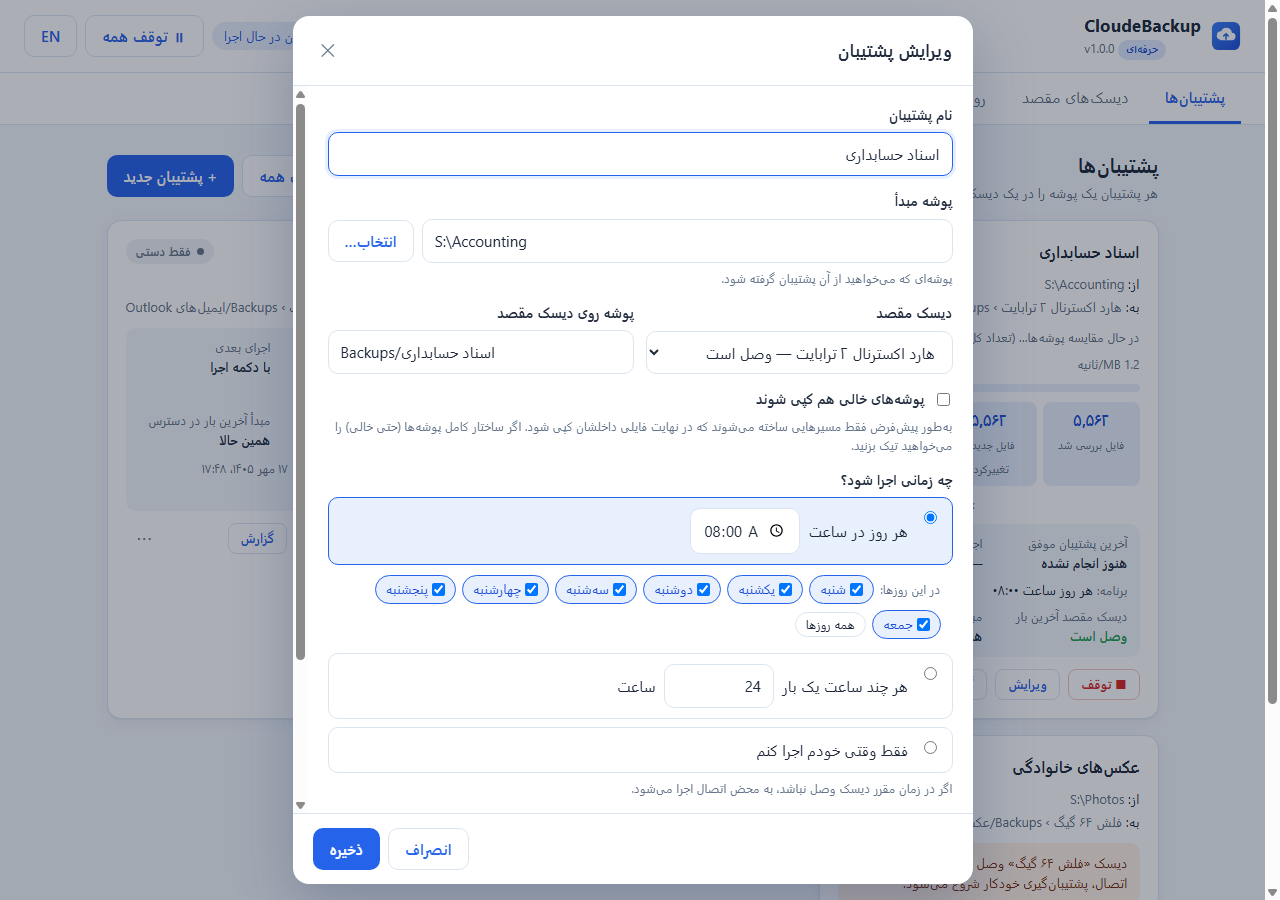
  • Daily at a chosen time, on chosen weekdays
  • Every few hours, or manually only
  • Missed runs happen as soon as the disk is reconnected
  • Pause and resume every backup with one click
02

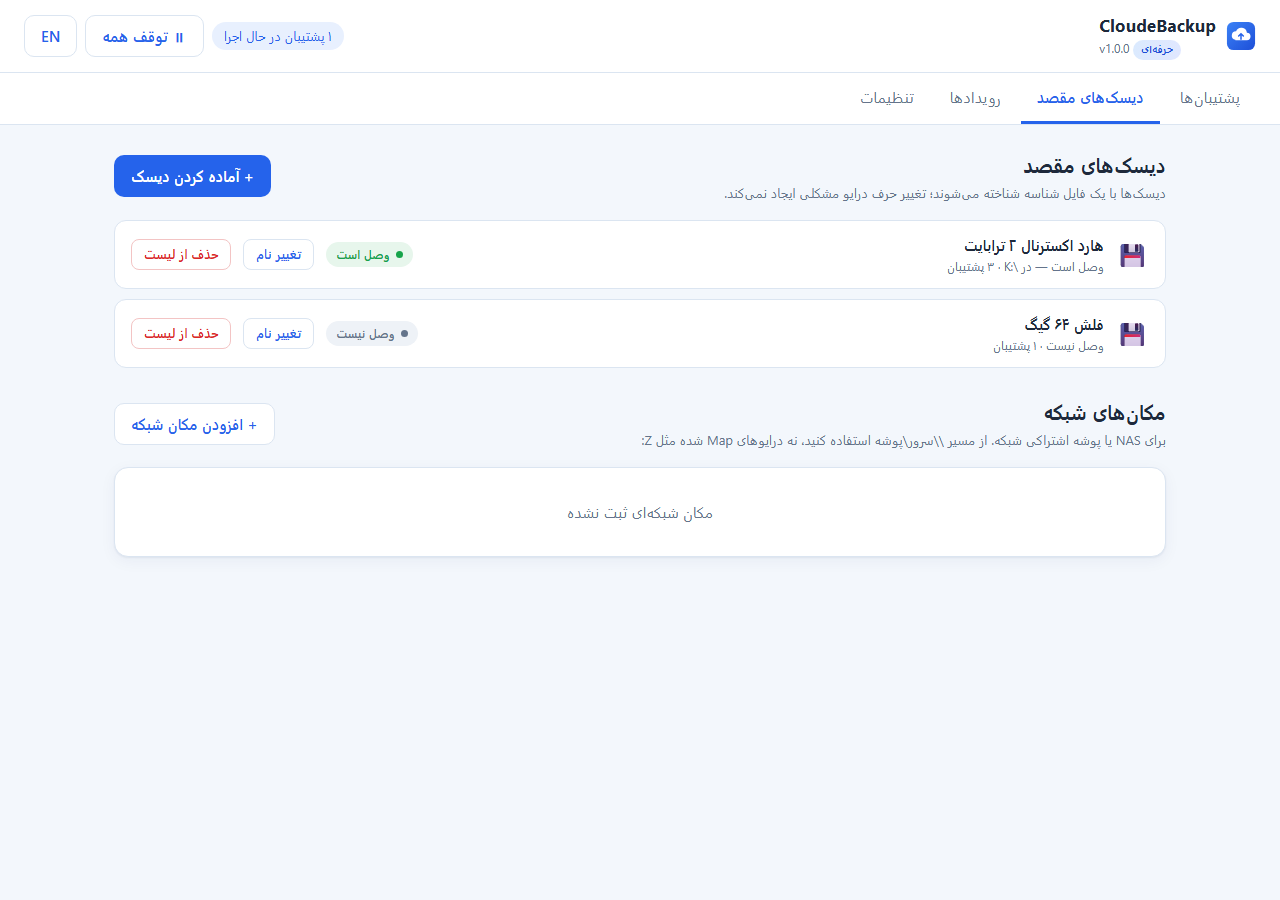
Disks found without drive letters

  • Each destination disk carries an id file
  • A drive letter change from B to E does not break it
  • A renamed or moved destination folder is followed automatically
  • Duplicate disks and missing folders are detected with guidance
03

Safe copy that survives interruptions

  • No half-written files are left behind (temp write plus atomic replace)
  • Large files resume from where they stopped
  • A disk pulled mid-run is handled without errors or crashes
  • One failed file does not stop the whole backup
04

Fast with millions of files

  • Only new and changed files are copied
  • Parallel copying, built for thousands of small files
  • Empty folders are skipped by default
  • Low memory use even on multi-terabyte drives
05

Deleted files and versions

  • Archive: deleted files and previous versions kept for a while (30 days by default)
  • Mirror: the destination matches the source exactly
  • Keep: nothing is ever removed from the destination
  • Ransomware guard: unusually large deletions are refused
06

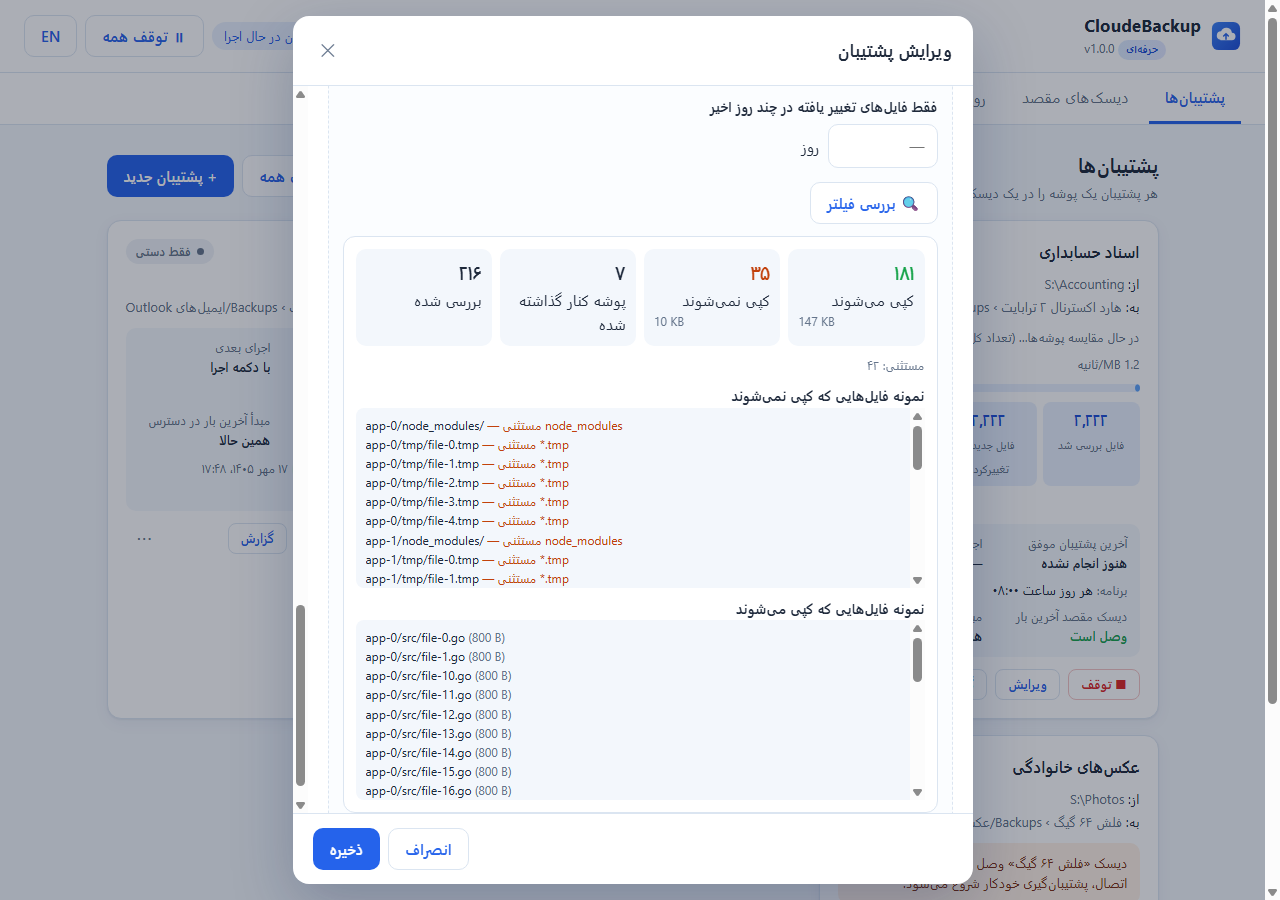
Precise filters with preview

  • Exclude a file type or folder (*.mp4, node_modules)
  • Include only certain names or extensions
  • Size limits and date ranges
  • A preview button shows exactly which files will be copied
07

Locked files via Shadow Copy

  • Open files such as databases and Outlook are copied too
  • Uses Windows Volume Shadow Copy, with no need to close apps
  • Leftover shadow copies are cleaned up automatically
08

Network and NAS

  • Back up to a shared folder or NAS over a network path
  • Credentials stored with Windows DPAPI encryption
  • Connection test in the panel; a network drop behaves like an unplugged disk
09

Priority and concurrency

  • Hundreds of backups with several running at once
  • Higher priority jobs get more throughput
  • Per-disk concurrency limits for mechanical drives
10

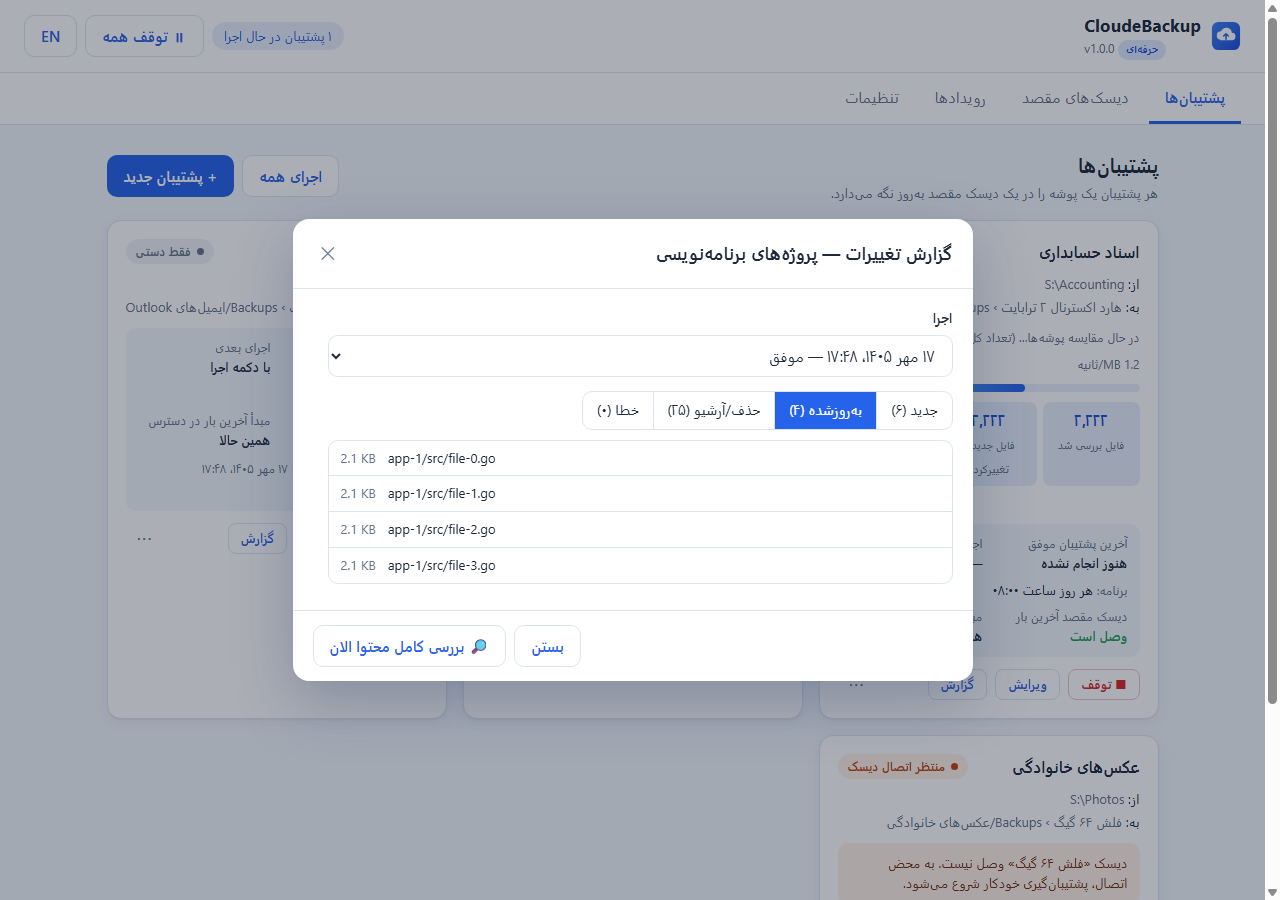
Change reports and full verification

  • Per-run report: new, updated, removed and failed files
  • A full content check every few days so nothing is missed
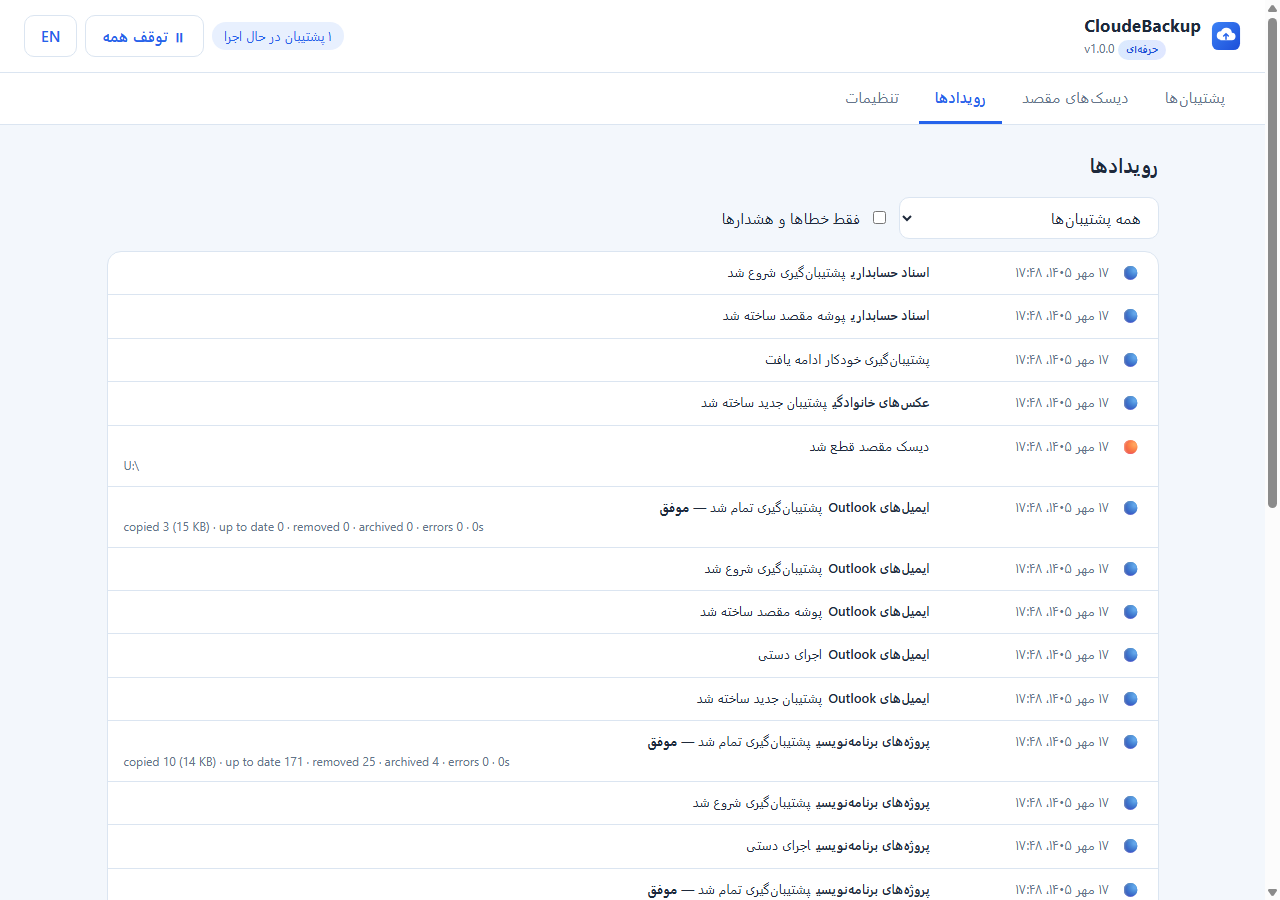
  • Complete event history: disks attached and removed, starts, ends, errors
11

Simple bilingual panel

  • Persian (default) and English, with the Jalali calendar
  • Live progress, speed and current file
  • Last time the source and destination were seen, and the next run time
  • Step-by-step guidance on first use
12

Windows service and tray icon

  • Runs as a Windows service and restarts itself after a crash
  • The tray icon colour shows the status and raises notifications
  • Ctrl+Alt+B opens the panel
  • Simple install and upgrade; settings are preserved. A Linux (systemd) build exists too

Pricing

Choose the plan that fits you. The download link is emailed to you after payment.

Free

Free for No time limit
  • One backup job
  • Every feature (scheduling, filters, Shadow Copy, network, reports)
  • No time limit
  • Direct download from the product site
Free download

The download link is emailed to you after payment.